

When drawings live in shared drives, RFIs in email and change orders in spreadsheets, critical project updates often fall through the cracks. The result? Confusion, rework, delays and delivery risk.
But there’s a better way to keep projects moving.
This guide shows how connected workflows help you eliminate double data entry, track changes and collaborate more effectively. With the right structure in place, you can reduce admin time, make faster decisions and prevent surprises across the project lifecycle.
Explore 3 connected workflows that improve visibility, speed, and accountability. These examples show how ProjectSight helps you move from jobsite updates to formal approvals with less friction and more control.
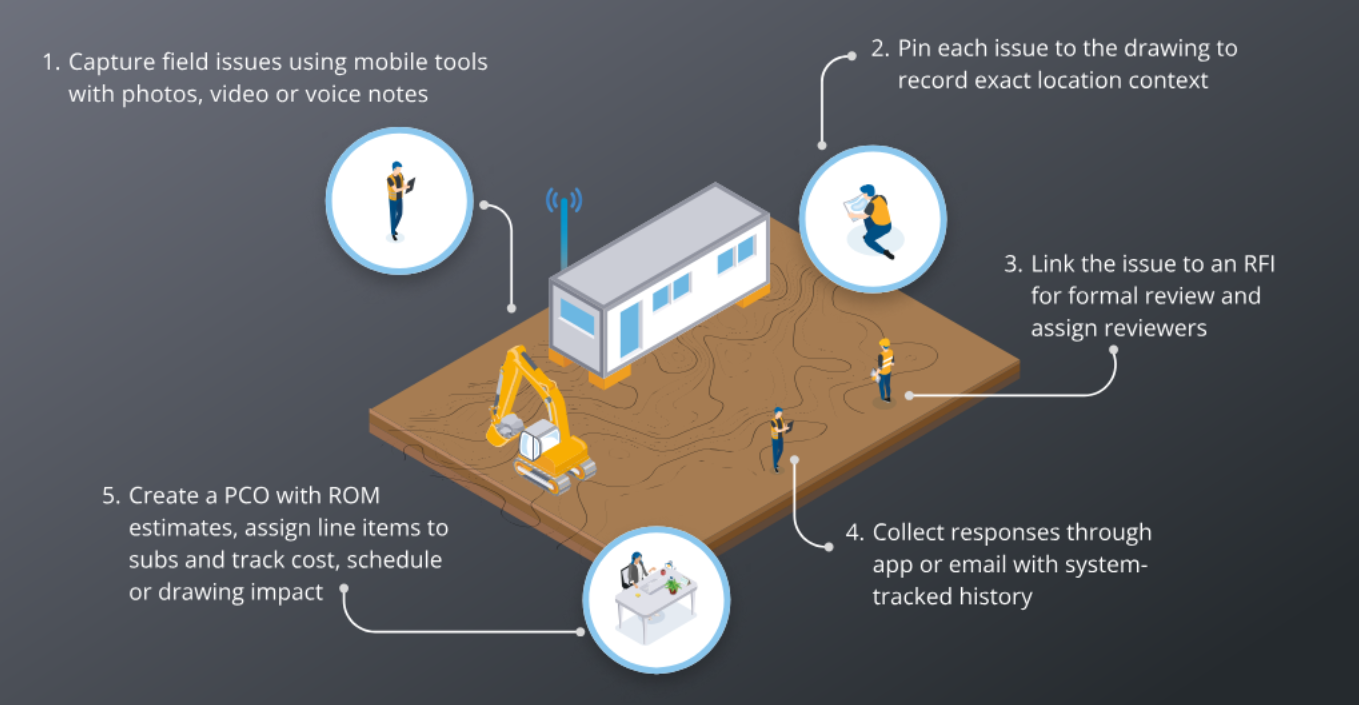
Turn a field-captured issue into a formal RFI and, when needed, a change order with clear cost or schedule impact.
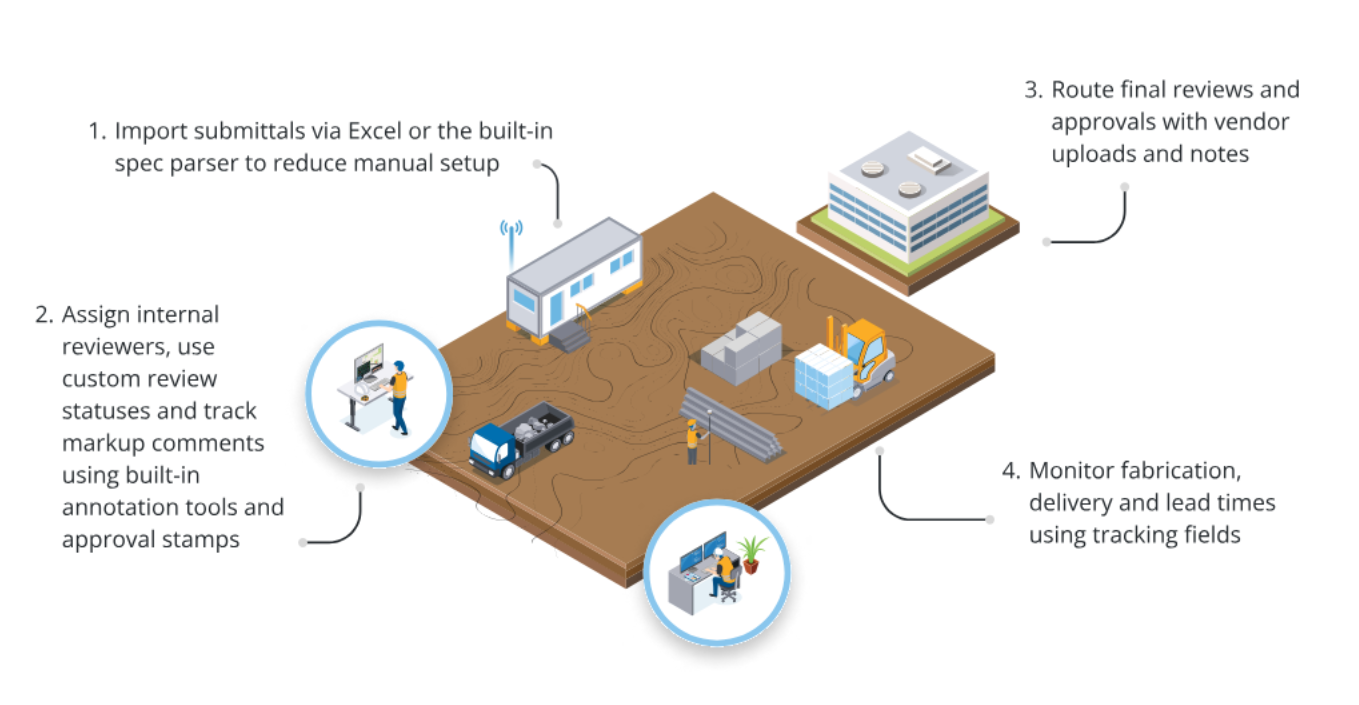
Manage internal reviews and vendor collaboration in one workflow to keep submittals moving and fabrication on track.
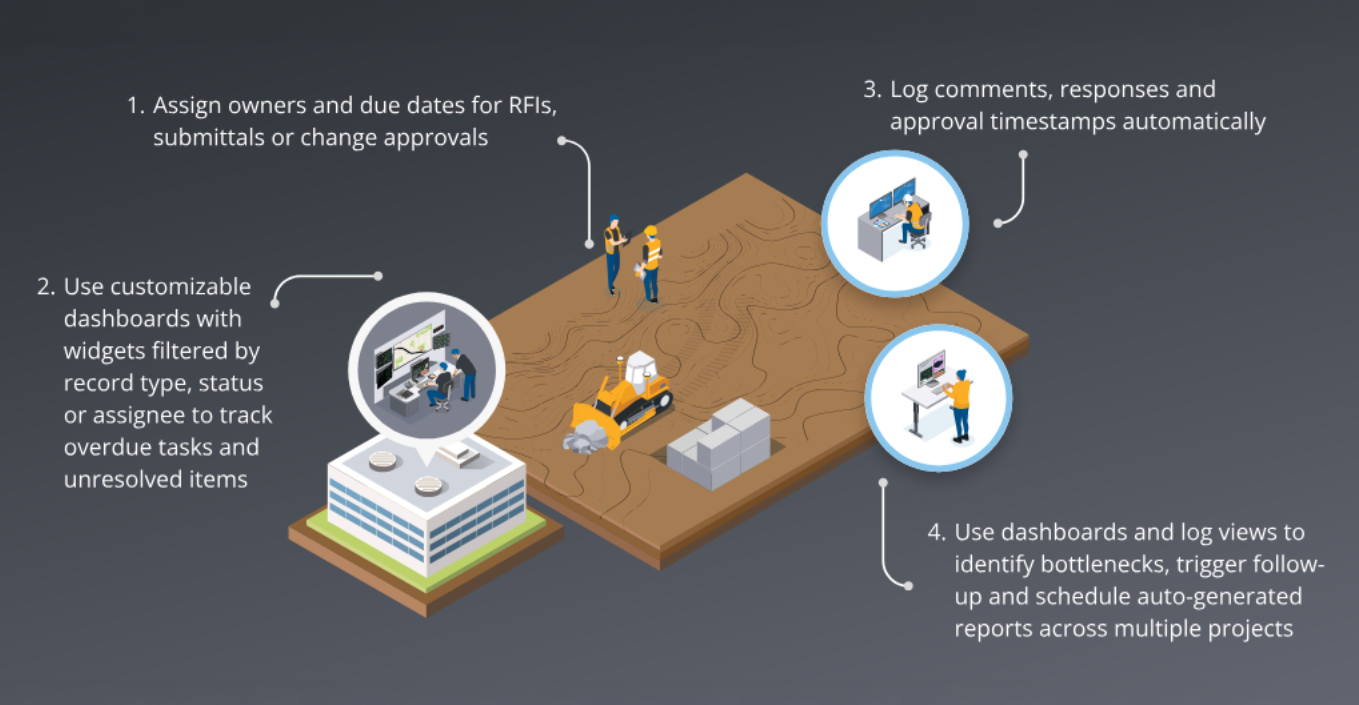
Assign ownership, track status and close out project decisions with full visibility from start to finish.
Capture issues, photos and daily reports directly from the jobsite (online or offline) and use annotations to link field issues to the latest drawings or 3D models, ensuring work is always based on the most current design, eliminating costly rework.
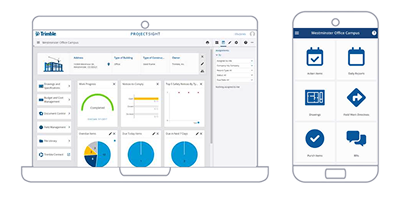
Manage RFIs, submittals and change orders from one connected project management tool. Set due dates, monitor status and link every action to drawings to keep your field team on track.
See where approvals are getting stuck and where cost risk is building. Standardize execution across teams and get on-demand insight into project status across the portfolio.
Use these five steps to pilot one workflow before expanding across your teams.
Good workflows don't just move information; they move the project forward.
By aligning field activity with financial decisions and documentation, your team can lead with visibility, reduce risk and eliminate the need to chase updates-quickly and with full context.
Ready to eliminate delays and lead with more control?
BOOK A DEMO
Fill out the form and we’ll be in touch